 Roxguru
Pace every lap.
No GPS needed.
Roxguru guides you through an indoor fitness race in the HYROX® format – 8 runs, 8 workout stations and the Roxzone – with running pace you can actually trust indoors.
Free · fēnix 7 / 8 / 9, fēnix E and Instinct 3
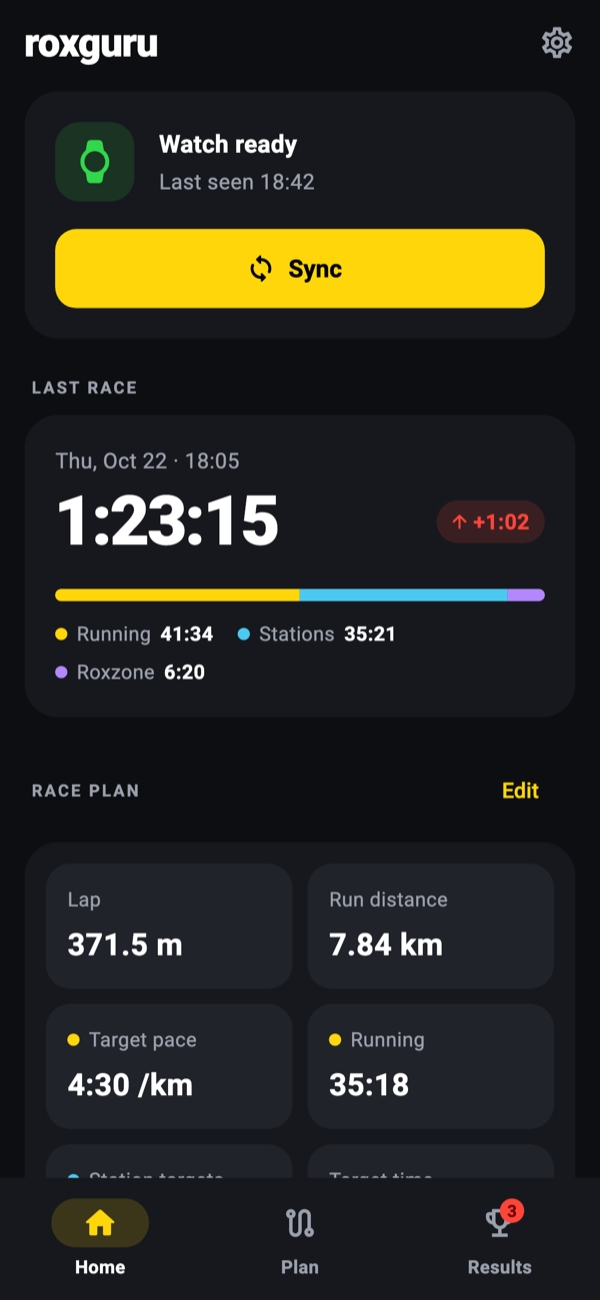
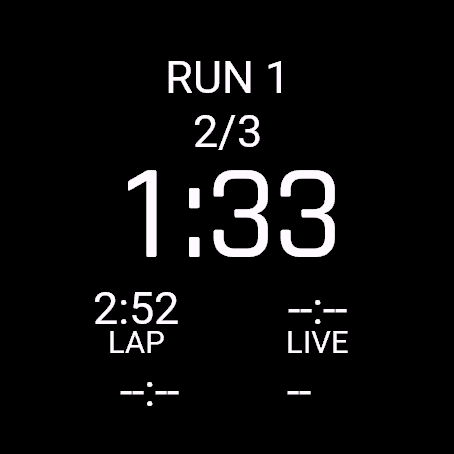
31 segments. One button.
The watch steps through the whole race for you. Every run is split into laps of your track, every Roxzone and station is timed on its own, and LAP always moves you to what comes next.
Set it once, then just press LAP.
GPS doesn't work in a hall. Roxguru uses the one thing that is always right indoors: the length of the lap you just ran.
Set your course
Enter the lap length and how many laps each run has – partial laps too, like 2.62. Do it in Garmin Connect or the companion app.
Check and start
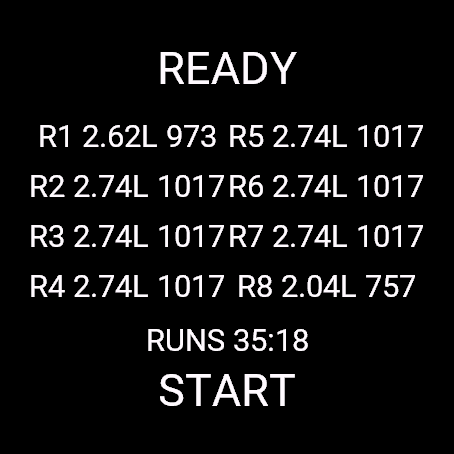
The ready screen shows every run's laps and distance, plus your planned running time. Press START when the gun goes.
Press LAP, every time
At the end of each lap and at every Roxzone and station change. Distinct vibrations confirm it, so you never have to look. Hold LAP to undo.
Review in Garmin Connect
The race is saved as an activity with one lap per run lap, Roxzone and station, and extra charts for pace, segments and Roxzone time.
HYROX Hamburg 2026, filled in.
Every venue has its own track. Here is how the official course map for Hamburg (Hamburg Messe, halls B6 & B7) and its run breakdown turn into Roxguru settings: one press point and three numbers.
Pick your LAP line: the IN gate
Choose one fixed point that you pass on every lap. In Hamburg the IN gate works best: you pass it on every lap, and at the end of a run you turn into the Roxzone right there. So every LAP press is at the same spot, including the one that ends the run.
Lap length: 371.5 m
The run breakdown gives 2.74 laps and 1018 m for runs 2–7. 1018 ÷ 2.74 = 371.5 m. If your event publishes no breakdown, divide the announced run distance by the announced number of laps.
Laps per run
Count from where you join the loop. The part up to the first LAP line is the partial lap: 0.62 of a lap from the start tunnel, 0.74 from the OUT gate.
| Run | Joins at | Laps | Distance |
|---|---|---|---|
| 1 | Start tunnel | 2.62 | 973 m |
| 2–7 | OUT gate | 2.74 | 1018 m |
| 8 | OUT gate, leaves at 08 | 2.04 | 758 m |
Target pace: 4:30 /km
Optional, but it drives the delta on the watch. At 4:30 /km that is 4:23 for run 1, 4:35 for runs 2–7 and 3:25 for run 8: 35:17 of running. Hamburg's Roxzone is long (857 m), so set a realistic total Roxzone target too.
What goes into the settings
In Garmin Connect (Connect IQ app settings) or the companion app:
- Lap length (m)
- 371.5
- Run 1: number of laps
- 2.62
- Runs 2–7: number of laps
- 2.74
- Run 8: number of laps
- 2.04
- Target pace per km
- 4:30
These are also the values Roxguru ships with, so for Hamburg you only add your station targets.
Run 8 is the odd one
Run 8 doesn't end at the IN gate: you pass it twice, then leave the loop early at gate 08 towards Wall Balls (275 + 371.5 + 113.5 m). The watch expects two LAP presses for 2.04 laps, so:
- Press LAP the first time you pass the IN gate.
- Run past the IN gate the second time without pressing.
- Press LAP at gate 08 as you leave for Wall Balls.
The run ends at the right moment and its distance is exact; only the split between its two laps is approximate.
Big numbers. Zero guesswork.
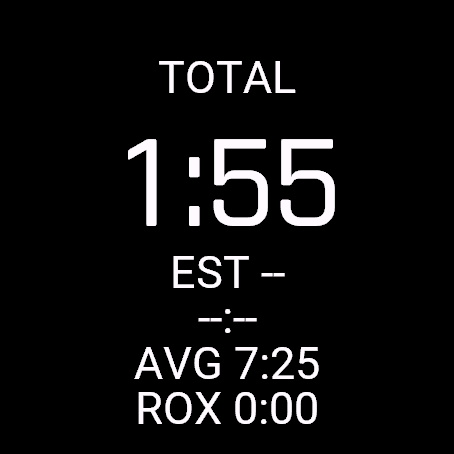
Built for tired eyes and sweaty hands: high-contrast screens, one main number, and touch disabled during the race.
Everything a race needs. Nothing it doesn't.
Roxguru is a full-screen watch app, not a data field – it knows where you are in the race at every moment.
Lap-based pace
Pace comes from the real lap length and your lap time, so it is reliable on any indoor track.
Live pace between laps
From the wrist accelerometer or a paired foot pod, recalibrated on every lap against the real distance.
Delta to your plan
Set a run pace, station targets and a total Roxzone time. The main number is how far ahead or behind you are.
Estimated finish
A running forecast of your finish time, updated as every segment closes.
Feel, don't look
Different vibration patterns for a lap and for a segment change. Hold LAP to undo a mistaken press.
Saved to Garmin Connect
Indoor Running or HIIT, with heart rate, laps and extra charts: segment type, lap pace, live pace, run distance, Roxzone time.
Plan on your phone. Relive it after.
The Roxguru companion app for iPhone and Android talks directly to the watch app.
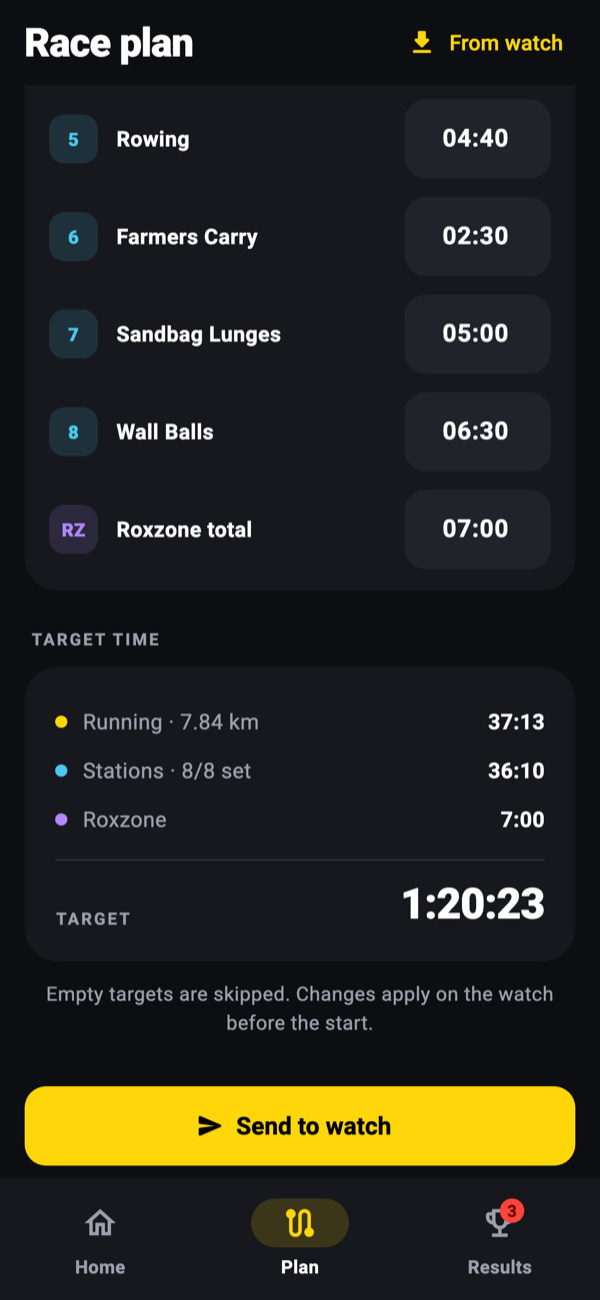
- Race plan – course, target pace and station targets, with your target finish time calculated for you.
- Send to watch – one tap, no digging through Garmin Connect settings.
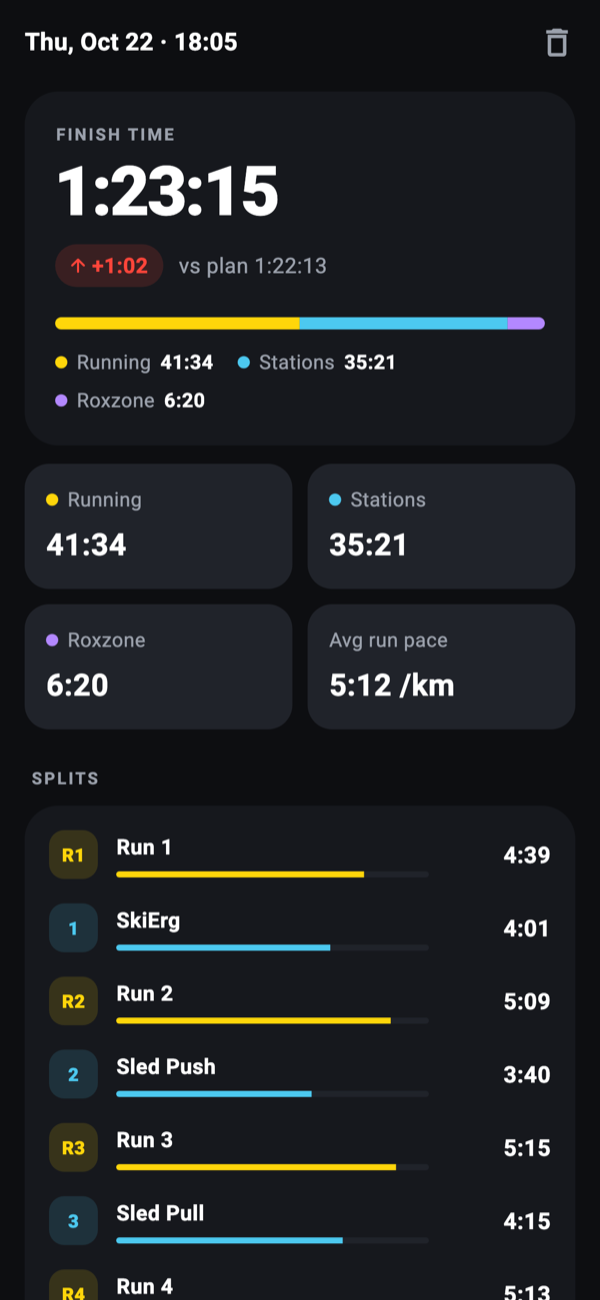
- Results – every finished race lands on your phone with splits for each run, station and the Roxzone.
- Private by design – no account, no cloud. Your data stays on your devices.
Get Roxguru.
The watch app is free on the Connect IQ Store. Install it from the Connect IQ app on your phone, or open the store page while signed in to your Garmin account.
Supported watches: fēnix 7, 7S, 7X and Pro models, fēnix E, fēnix 8 (43/47 mm, Solar, Pro), fēnix 9 family, Instinct 3 (Solar and AMOLED). Requires Connect IQ API 5.0.
Good to know
Does Roxguru use GPS?
Never. Distance comes from your lap settings, which is why you press LAP at the end of every lap. That's also what makes the pace accurate indoors.
What if I press LAP by mistake?
Hold LAP to undo the last press. "Undo last" is also in the pause menu (press START).
My track's laps don't add up to exactly 1 km.
That's normal. Set the lap length and the number of laps per run, including partial laps (for example 2.62 laps for the first run that starts mid-track). The watch knows the exact distance of every lap. See the Hamburg case study for a worked example.
Will the stations count towards my weekly running distance?
The watch's own distance during stations is part of the activity when it is saved as Indoor Running. Choose HIIT as the activity type on the watch if you don't want that.
Can I use it for doubles?
Yes. The distances are the same – only the work is split – so the race structure on the watch doesn't change.
Questions, bugs, ideas?
Roxguru is an independent project. Feedback from real races is the most valuable thing you can send – tell us your watch model and what happened.